RunGap: The Workout Data Hub
Forty-plus fitness services, one iOS app that moves your data between all of them. If you have ever wished Strava, Garmin, and Apple Health talked to each other, RunGap is the answer.
What RunGap Actually Does
RunGap is not a tracker. It does not record runs. Instead, it reads activities from every service you use and lets you copy them into every other service you use. It is a one-stop shop for fitness data ownership.
If you have switched watches, tried different apps over the years, or want to keep Apple Health as the single source of truth, RunGap is the cleanest way to consolidate. For a $9.99 Pro upgrade, you get unlimited syncing and auto-sync rules that run in the background forever.
6 Things People Use RunGap For
Switching from Garmin to Apple Watch
Move your years of Garmin Connect history into Apple Health so Apple Fitness, Strava, and Motera all see your lifetime data.
Backing up Strava
Export every Strava activity as GPX/FIT files for archive or transfer. Useful if Strava changes pricing.
Consolidating multiple apps
If you use Nike Run Club for guided runs and Strava for the social feed, RunGap makes sure both have the same history.
Feeding TrainingPeaks
Move workouts from any source into TrainingPeaks for coach review or PMC tracking.
Moving off Fitbit
Pull your Fitbit workout history into Apple Health, Strava, or Garmin Connect.
One-time archive before switching platforms
Download everything as FIT files so you always own your data, regardless of platform changes.
Pros and Cons
Pros
Cons
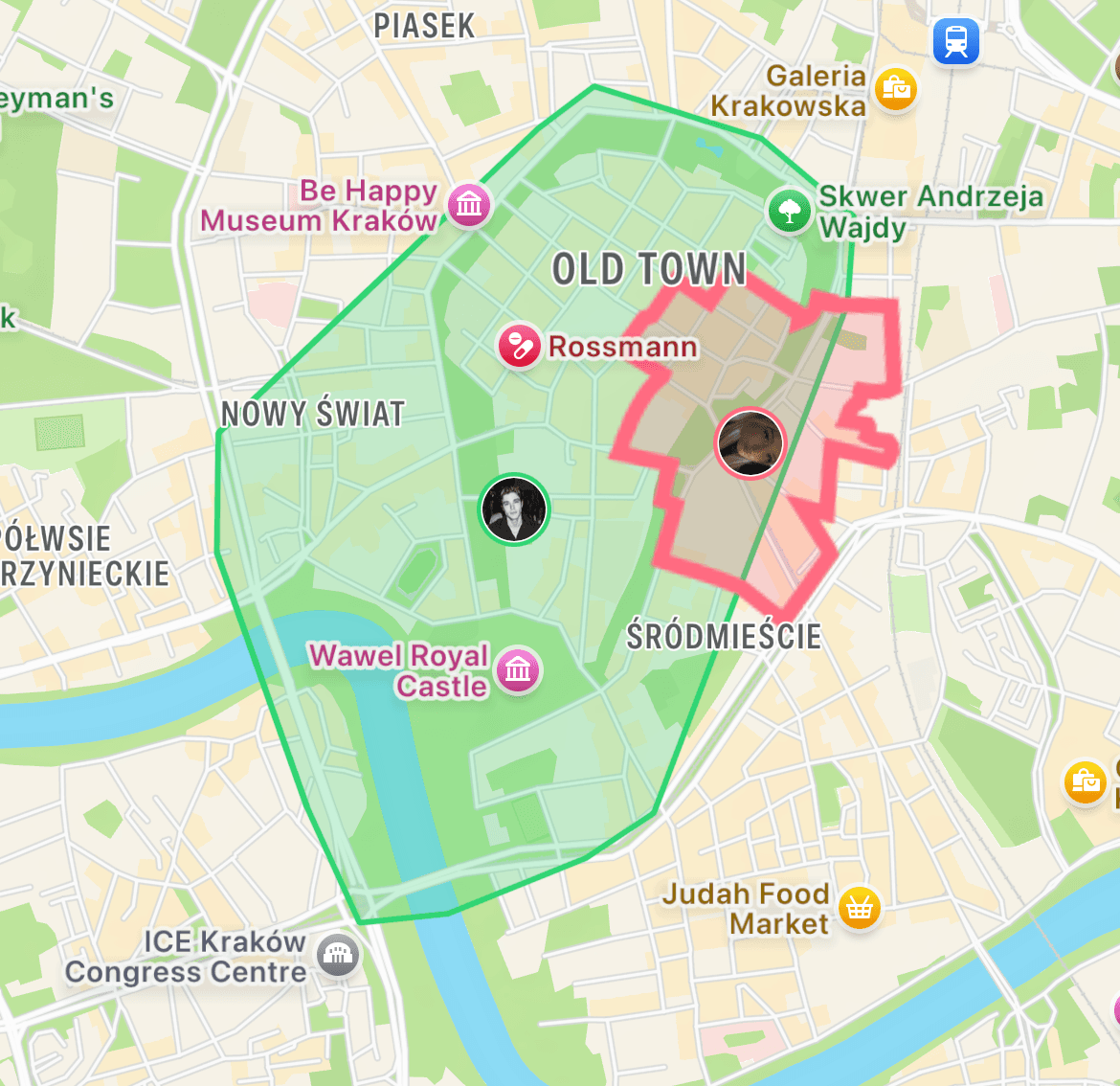
Once your data is connected, run for a reason.
Motera reads from Apple Health automatically. Every run you record anywhere becomes captured territory on your city map. Streaks, leaderboards, Fog of War exploration, Live Activities on iPhone. Free on the App Store.
Download MoteraFrequently Asked Questions
What is RunGap?
RunGap is an iOS app that moves your workout data between different fitness platforms. It is a data hub, not a tracker. You record a run in one app and RunGap exports or copies it to any of 40+ other services.
How does RunGap work?
RunGap connects to your accounts (Strava, Garmin, Nike Run Club, Apple Health, and others) via OAuth. It can pull activities from each, merge them into one view, and push them to any connected service.
Is RunGap free?
The base app is free and includes a limited number of transfers. The Pro version is a $9.99 one-time purchase (or subscription in some regions) and unlocks unlimited syncing across services.
What services does RunGap support?
Strava, Garmin Connect, Nike Run Club, Apple Health, Runkeeper, MapMyRun, Fitbit, Polar Flow, Suunto, TrainingPeaks, Peloton, Zwift, TomTom Sports, and 30+ more.
Can RunGap export my Strava history to Garmin?
Yes. This is the most popular use case. RunGap can move every Strava activity you have into Garmin Connect, or vice versa. It preserves distance, pace, elevation, and heart rate where available.
Does RunGap convert file formats?
Yes. RunGap can export activities as GPX, TCX, or FIT files. Useful for archiving, uploading to services not directly supported, or processing in other tools.
Does RunGap work in the background?
Pro version, yes. Set up auto-sync rules and RunGap will move new activities between services automatically as they appear.
Is RunGap on Android?
No. RunGap is iOS-only. Android users with the same need usually use SyncMyTracks or Tapiriik (web-based).
Is RunGap safe?
Yes. It uses standard OAuth authentication and stores no credentials on its servers. Your data moves directly between services. The developer has been active since 2013 with consistent updates.
Will RunGap sync Motera workouts?
If Motera is connected to Apple Health, yes. RunGap reads from and writes to Apple Health, which means workouts sync through that hub to any other service connected to Apple Health or RunGap.